> ## Documentation Index
> Fetch the complete documentation index at: https://docs.clipzap.ai/llms.txt
> Use this file to discover all available pages before exploring further.
# How to Create ClipZap`s Account
> Description of your new file.
### **Sign Up**
Currently ClipZap only supports the Google login mode. When you enter the page of [www.clipzap.ai](http://www.clipzap.ai), you can click **Get started for free** button to register & login, or wait for the Google auto login on the top right corner of the page and click the corresponding Google account to login.
 Now only Support Google Login.
We will publish Apple Login、Email Login fast.
Now only Support Google Login.
We will publish Apple Login、Email Login fast.
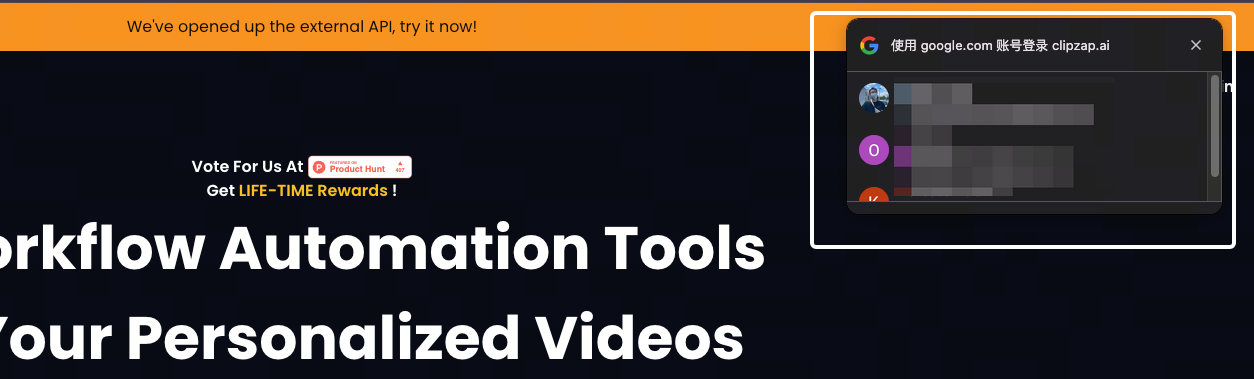 Wait about 10-20 seconds, Auto shows up.
### Account Settings
ClipZap only collects the following Google information that is used to identify you:
1. Email Address;
2. Google Account Name;
3. IP Location
**We do not collect private information about you.**
### **Log out**
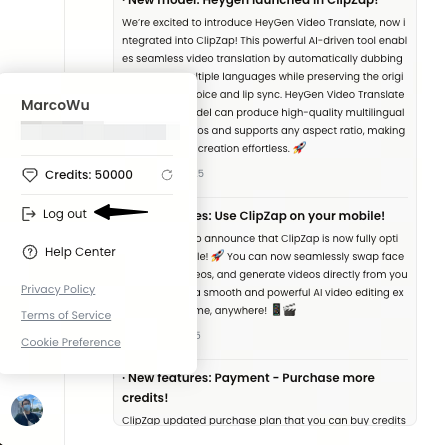
To Log out your ClipZap account, You can log out by going to the Workbench panel, clicking on your avatar in the lower left corner, and clicking Log out.
Wait about 10-20 seconds, Auto shows up.
### Account Settings
ClipZap only collects the following Google information that is used to identify you:
1. Email Address;
2. Google Account Name;
3. IP Location
**We do not collect private information about you.**
### **Log out**
To Log out your ClipZap account, You can log out by going to the Workbench panel, clicking on your avatar in the lower left corner, and clicking Log out.